Funding Rounds: Detect Them Automatically Every Day to Prospect at the Right Time
By Romain QUECHON · Published on June 4, 2024 · Updated on September 30, 2026
A funding round is one of the clearest buying signals in B2B: the company has just secured the means to hire, equip itself and accelerate. Detecting it the same day lets you reach out just as budgets open up.
This tutorial shows how to automatically retrieve the latest funding rounds every day, enrich each company, then centralize everything in a database ready for prospecting.
Why prospect companies that just raised funds
- They have a fresh budget, often focused on growth: hiring, tools, service providers.
- Their roadmap changes: new projects open up, sometimes with new decision-makers.
- The signal is public and dated: your message has obvious context.
The 4 tools in the tutorial
| Tool | Role in the setup |
|---|---|
| Crunchbase | Reference data source on funding rounds worldwide |
| Piloterr | Queries Crunchbase data through an API, without a Crunchbase license, to list funding rounds and then enrich each company |
| Make | Orchestrates the API calls, processes the results and schedules the daily run |
| Google Sheets | Stores the funding rounds and company information, easy to connect and use |
The step-by-step tutorial
The full video
1. Create a Piloterr account and an API key
Create an account on Piloterr. When this tutorial was published, signing up gave you 50 free credits to test: check the current offer.
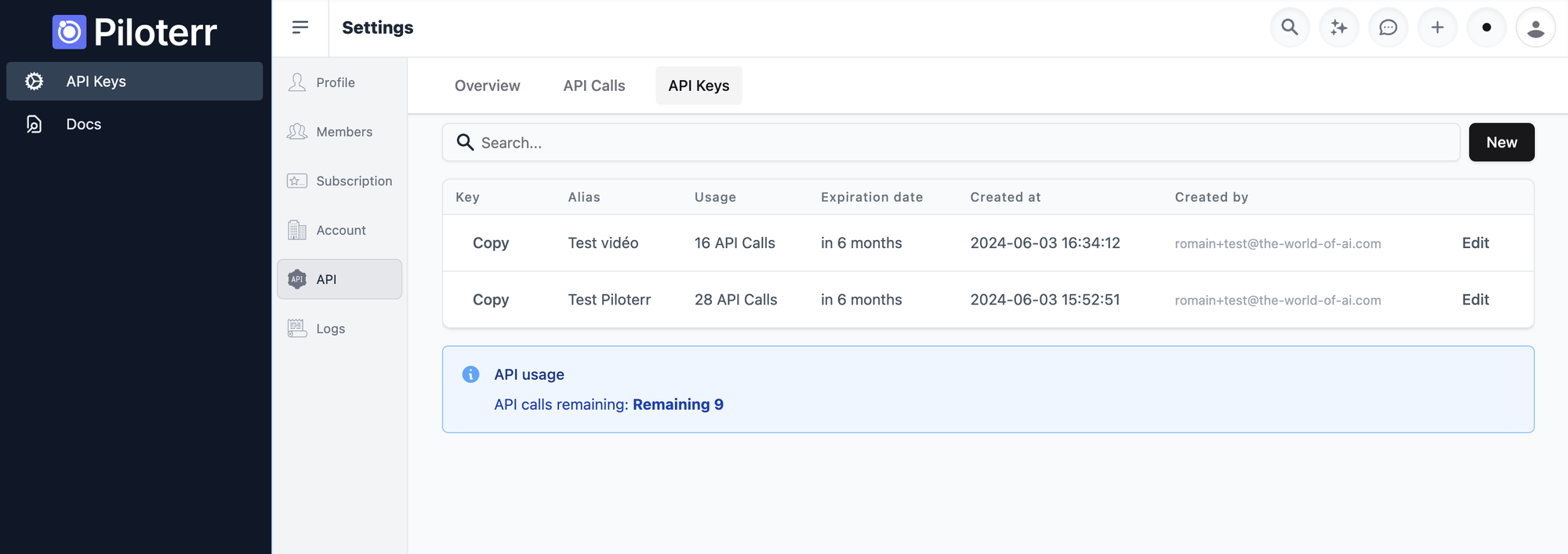
In the API Key section, click New, name the key (for example test_video), set an expiration date, then save it and copy it. You will use it for every API call in Make.
2. Retrieve the latest funding rounds
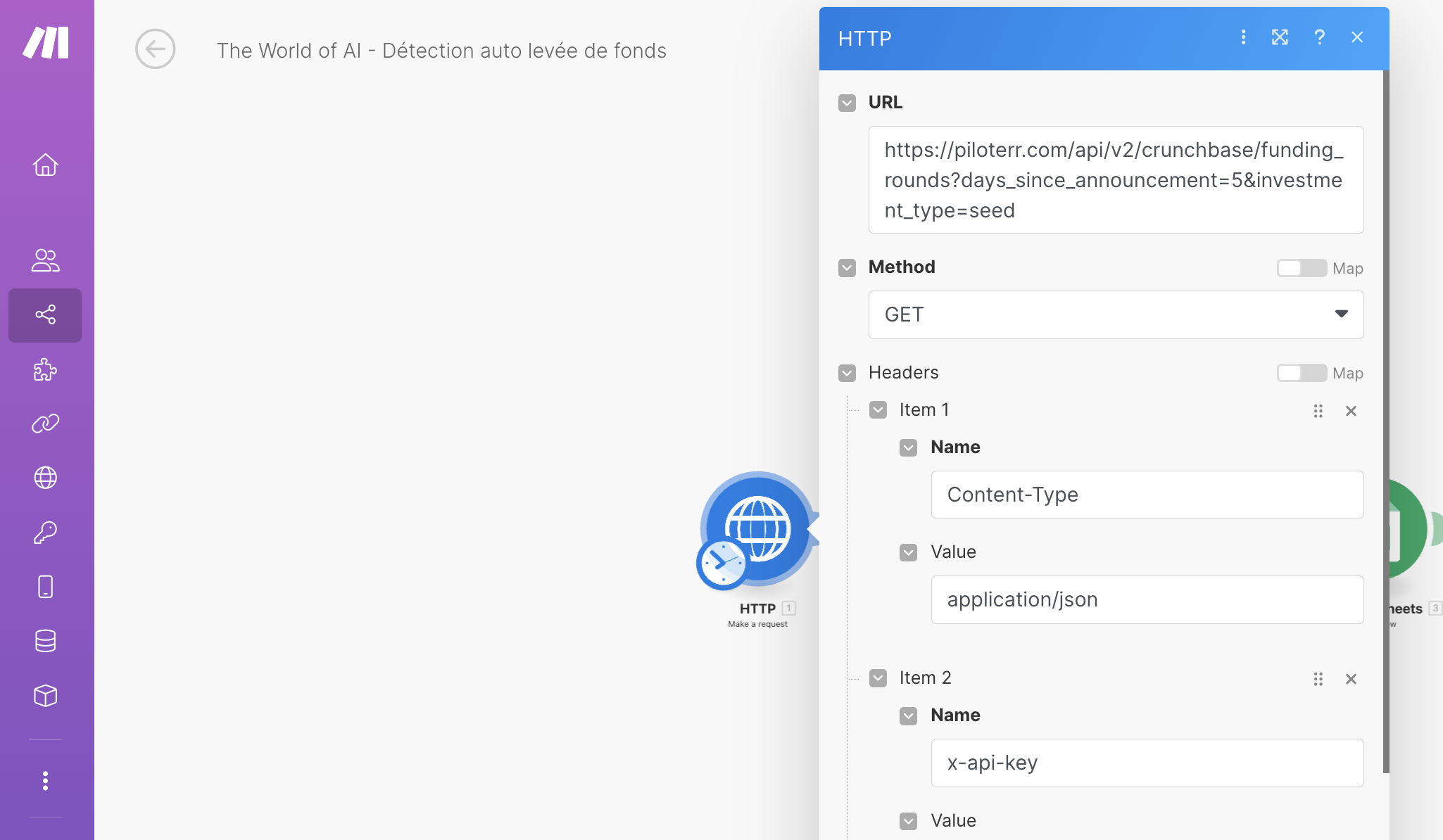
In Make, create a scenario with an HTTP request module that queries the Piloterr API to list the latest funding rounds. Set the period (for example the last 5 days) and the funding type (for example seed). Paste your API key, then test the module.
3. Process each funding round one by one
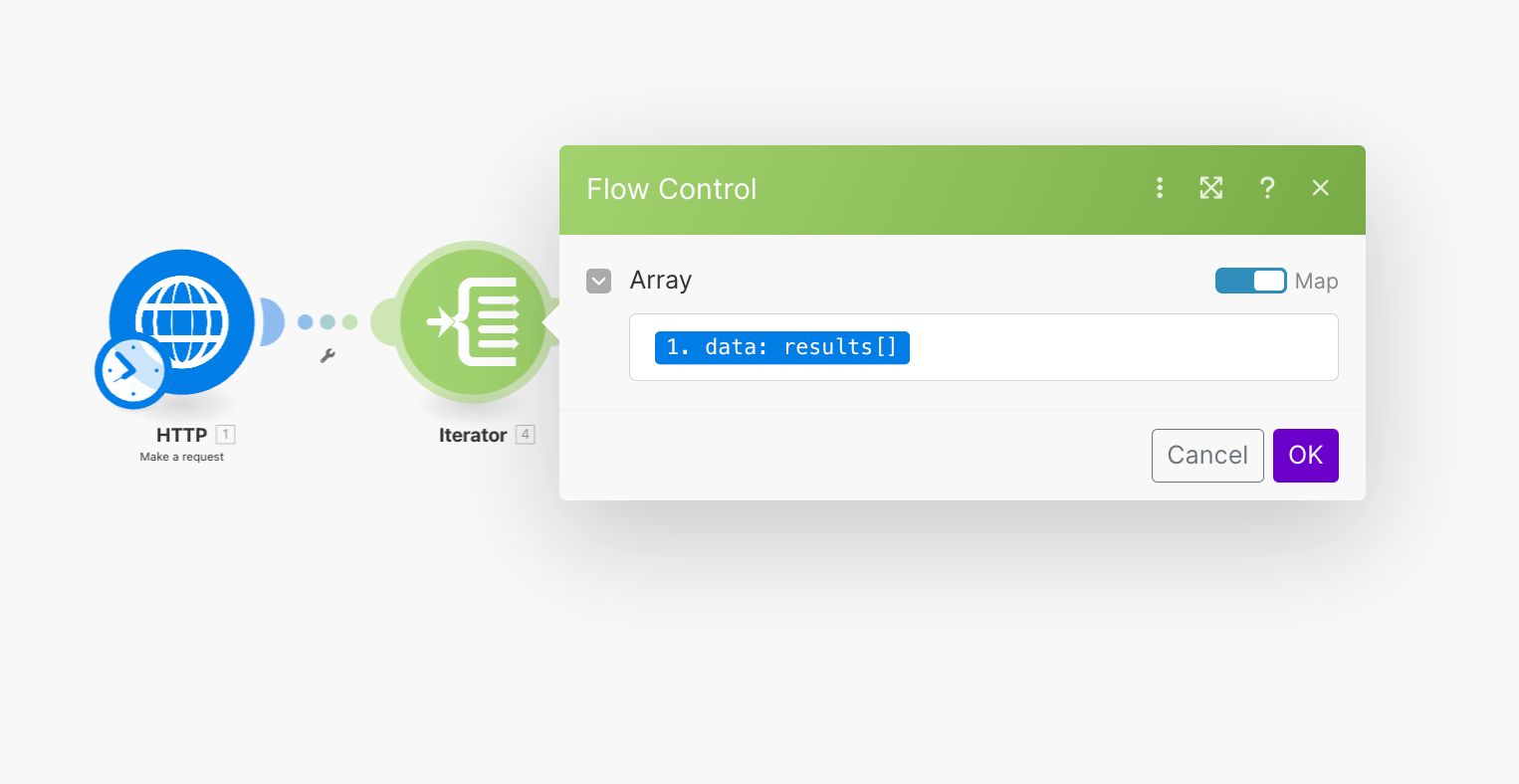
Add an iterator module that takes the results of the first call as input. If 20 companies raised funds, the scenario processes them one by one.
4. Enrich each company
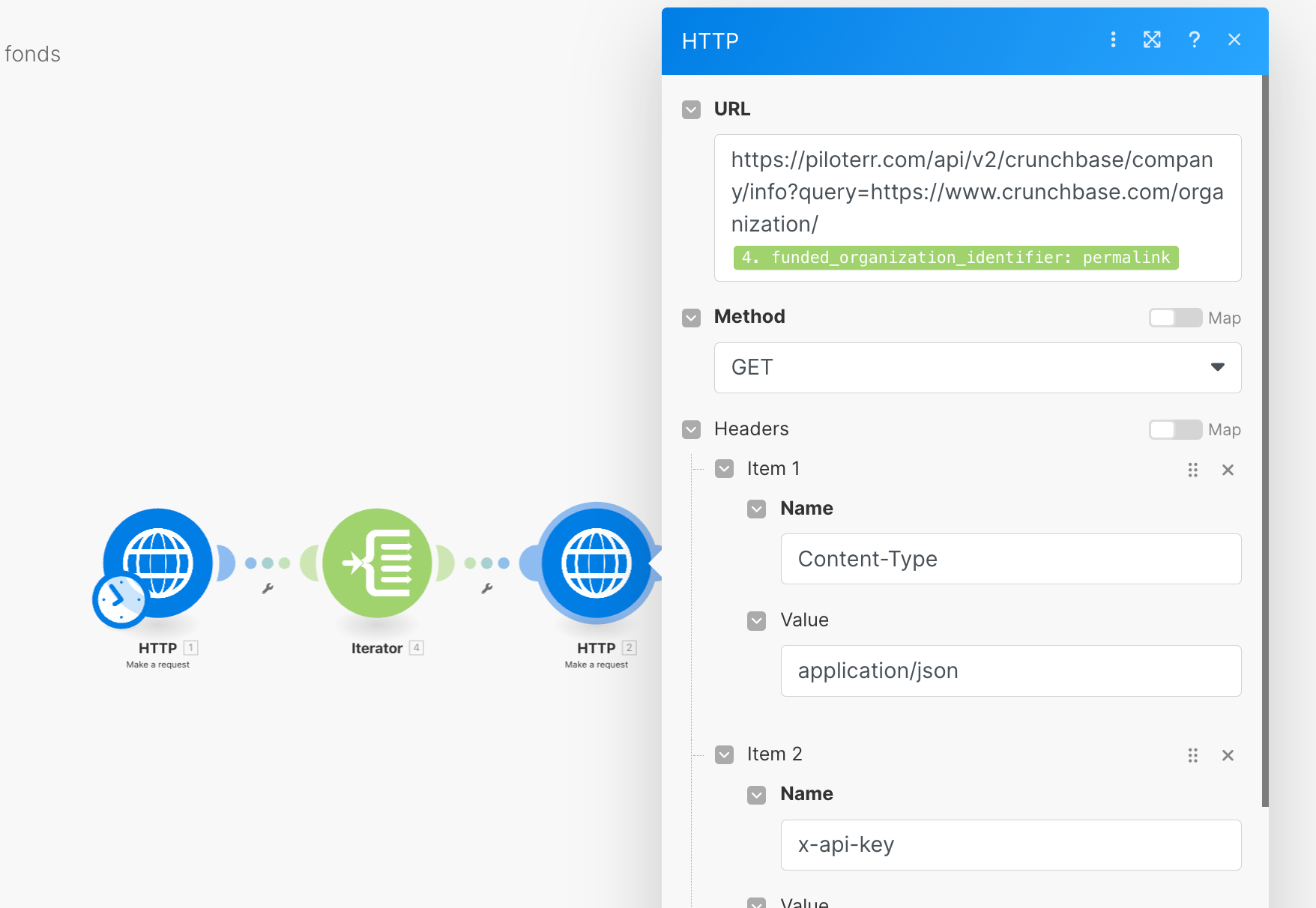
Inside the iteration, add a second HTTP module that calls the Piloterr company information API, with the same key, for the current company. Test it to check the data retrieved.
5. Send the data to Google Sheets
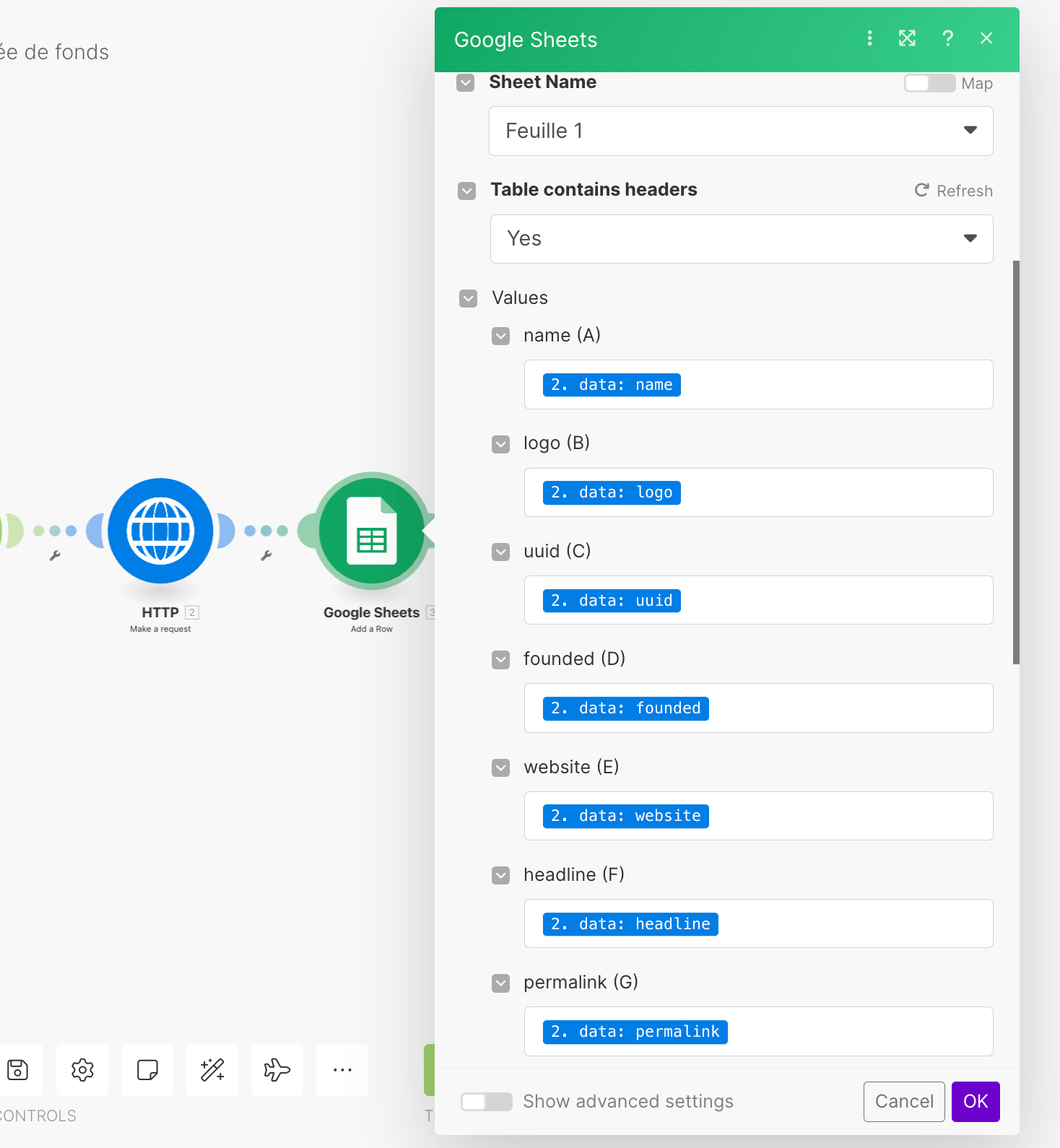
Still inside the iteration, add a Google Sheets module: choose the target sheet and map each piece of data to its column. Test the transfer.
6. Schedule the daily run
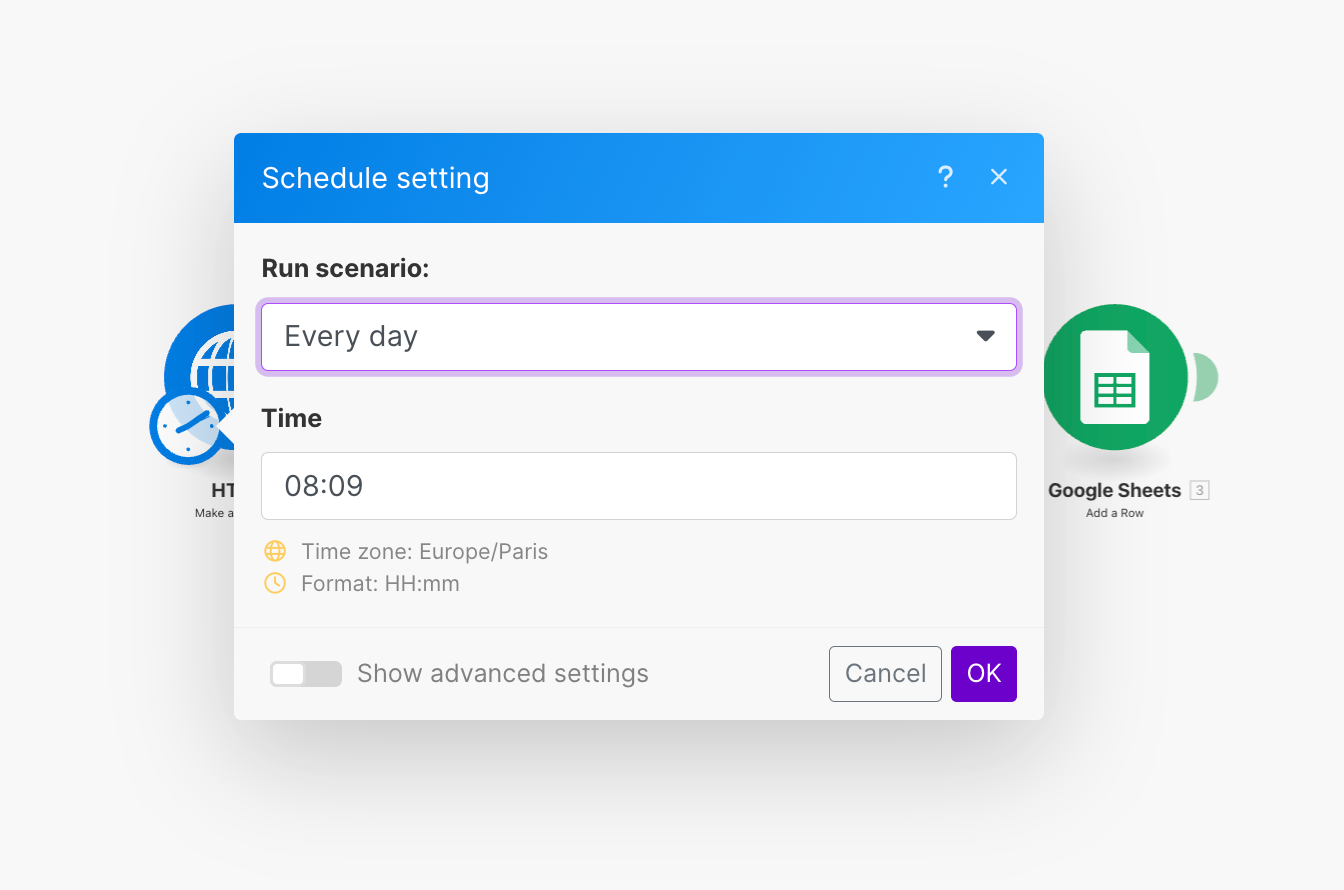
In the scenario settings, set a daily run at the time of your choice. Every day, the new funding rounds are added to your database.
From the list to prospecting
A list of funding rounds is only a starting point. Before reaching out, filter according to your target: industry, size, funding stage. Then identify the right decision-maker in each company, and write starting from the funding round. To sort them: AI lead scoring.
In the Allbound AI platform, the latest funding round is part of the enrichment data for each lead and feeds into the scoring. See the implementation.
The limits of the method
This tutorial dates from 2024: interfaces, trial offers and API parameters may have changed. The data mainly covers companies that announce their funding.
And a funding round opens a budget, not necessarily for your offer: the message should start from their new challenges, not from your product.
5 tips to apply this week
- Filter by stage: a seed round and a Series B have neither the same needs nor the same decision-makers.
- Reach out quickly after the announcement, when the context is freshest.
- Mention the funding round in one sentence, then talk about their projects, not about you.
- Combine it with other signals, such as hiring or a job change.
- Exclude your customers and competitors from the list before sending anything.
Funding rounds pair well with the job change signal and fit into a complete Allbound strategy.
Frequently asked questions about detecting funding rounds
How do you detect funding rounds automatically?
By querying a funding data source every day, such as Crunchbase through the Piloterr API, from a scheduled Make scenario. Each round is enriched and then saved to a database, for example Google Sheets.
Why prospect a company that just raised funds?
Because it has a fresh budget, often focused on growth, and its roadmap is changing. The funding round, public and dated, also gives your first message obvious context.
Do you need a Crunchbase license to track funding rounds?
Not with the method in this tutorial: Piloterr lets you query Crunchbase data through an API without a Crunchbase license. Check the current terms of both services before you start.
When should you contact a company after a funding round?
As soon as possible after the announcement, when the context is freshest. The message should start from their new growth challenges, not from your product.
Romain QUECHON, founder of Allbound AI (formerly The World of AI). More than 60 clients supported, with 10 to 15 meetings generated per month on average for implementation program clients. See Romain's background · Follow me on LinkedIn